Are you looking to improve quality of your volumetric fog in Unreal Engine 5 at very little performance cost? You are in the right place. Volumetric Fog Ultra is the product you are looking for.
Compare the baseline Unreal’s volumetric fog (left) with Volumetric Fog Ultra (right):
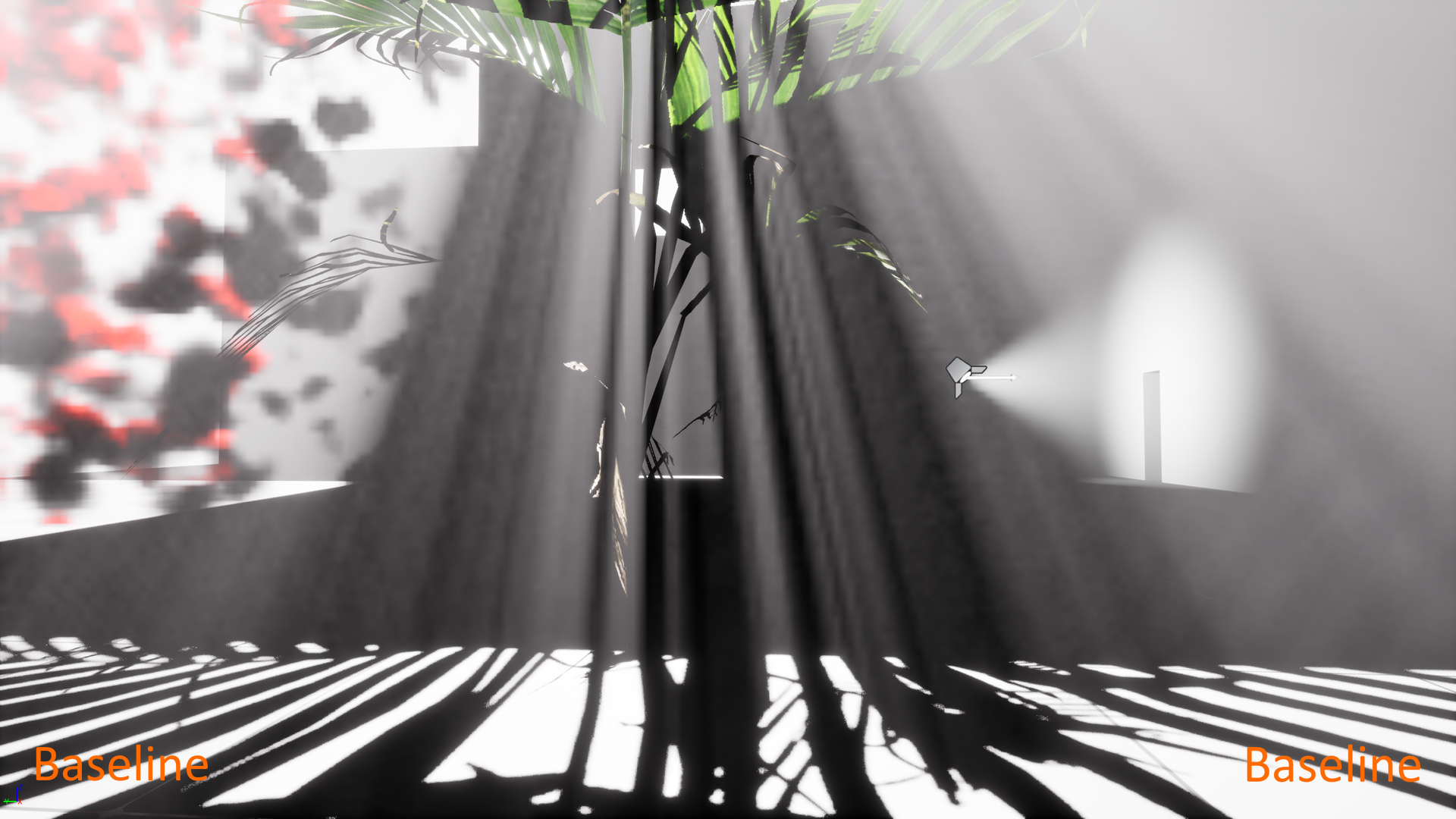
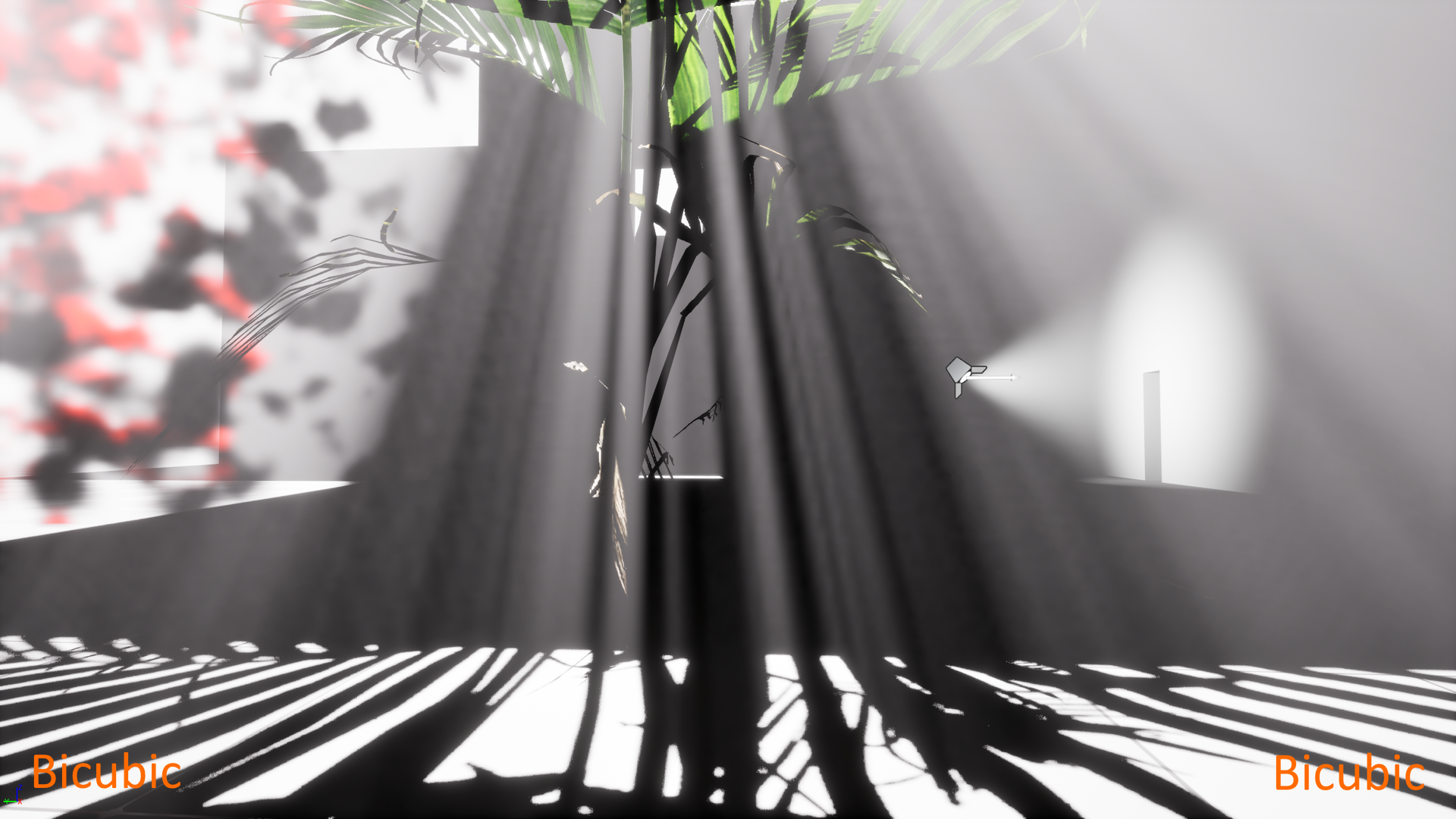
Note how much smoother the light shafts are, and how much nicer that red-dish dense local fog to the left is.
You can have it with one cvar switch.
Inspiration behind this product came from Ghost of Tsushima. Check out slides 112-119 here.
What is it, exactly?
Volumetric Fog Ultra is a series of a few short modifications that need to be applied to two files in Unreal Engine source code. Those modifications will enable you to move from Unreal’s baseline trilinear fog filtering to bicubic or even tricubic fog filtering.
If you have not made any modifications to those two files in your UE5 codebase (that is quite likely), then all you need to do is to literally copy-and-paste those two files from Volumetric Fog Ultra to your UE5 codebase. And that’s it. From now on you can use a single command, a cvar in UE5 console to toggle between Unreal’s baseline trilinear filtering and the new bicubic and tricubic filtering. The command is:
wojtsterna.r.VolumetricFog.CubicFiltering [0/1/2]
where:
0 - Baseline filtering
1 - Bicubic filtering
2 - Tricubic filtering
That’s it. No other extra options which you have no idea how to tweak to get the best result. Just set one cvar and you can enjoy this great volumetric fog quality boost!
More comparisons among the three modes (enlarge them to see the difference):
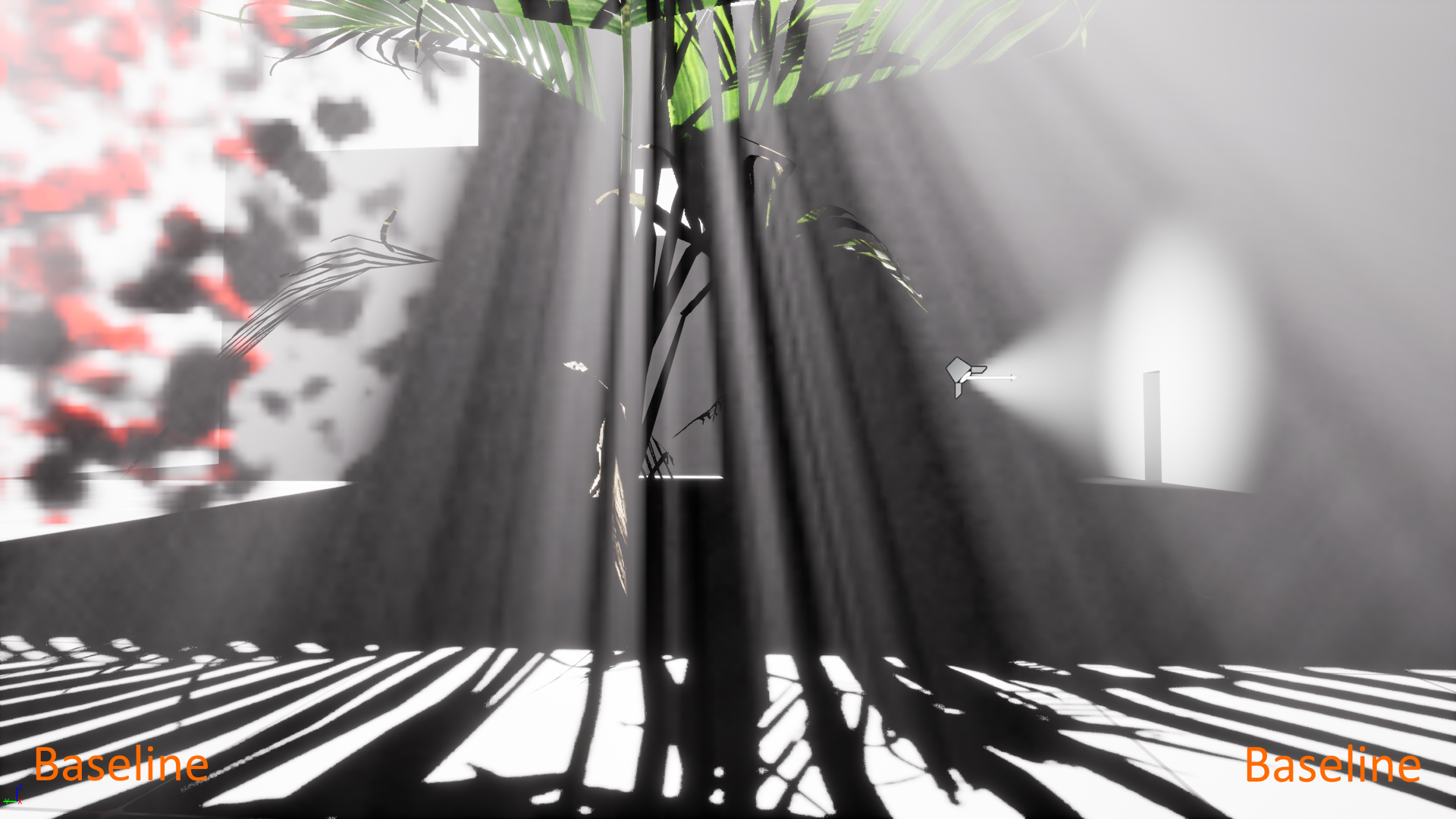
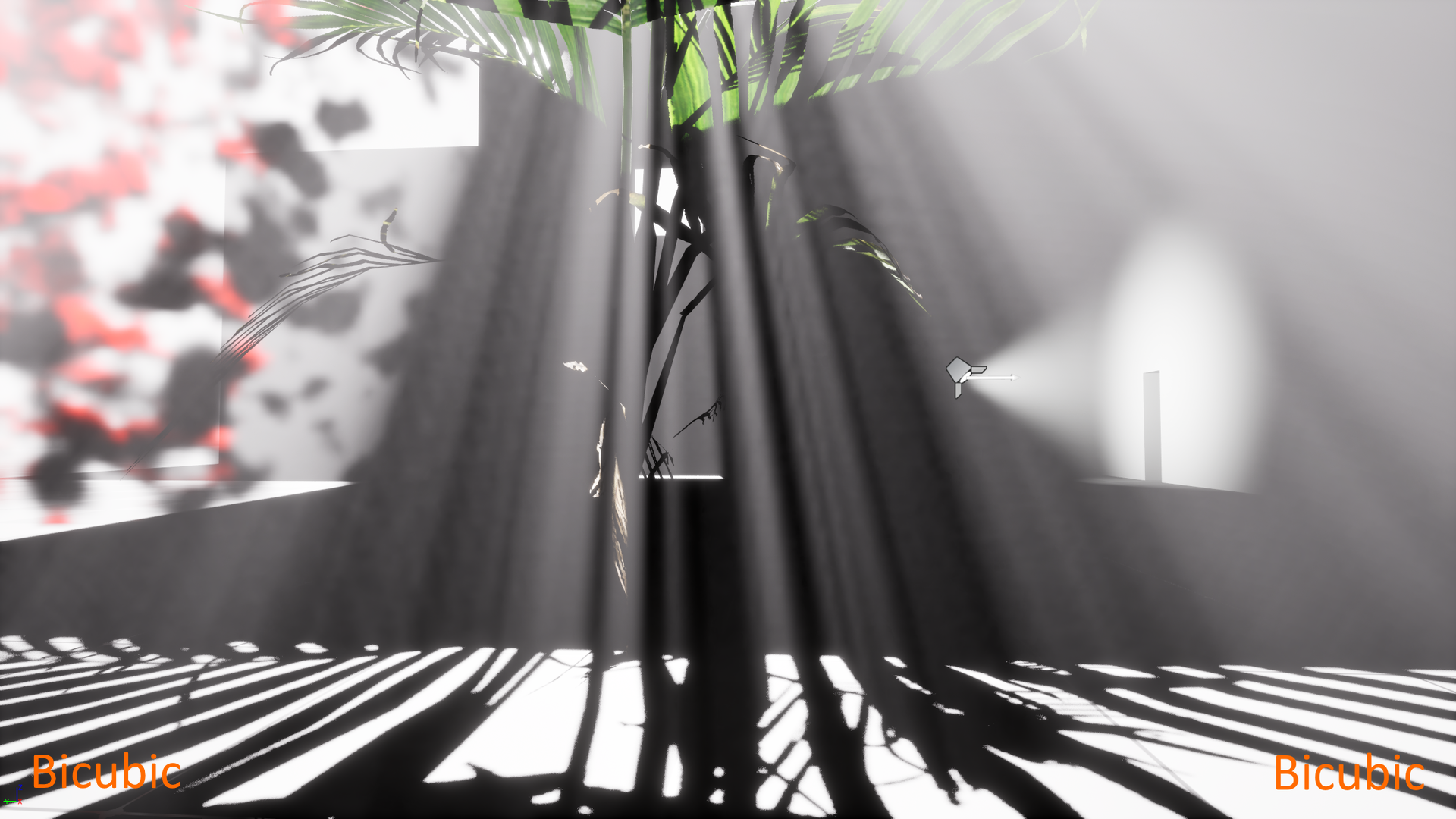
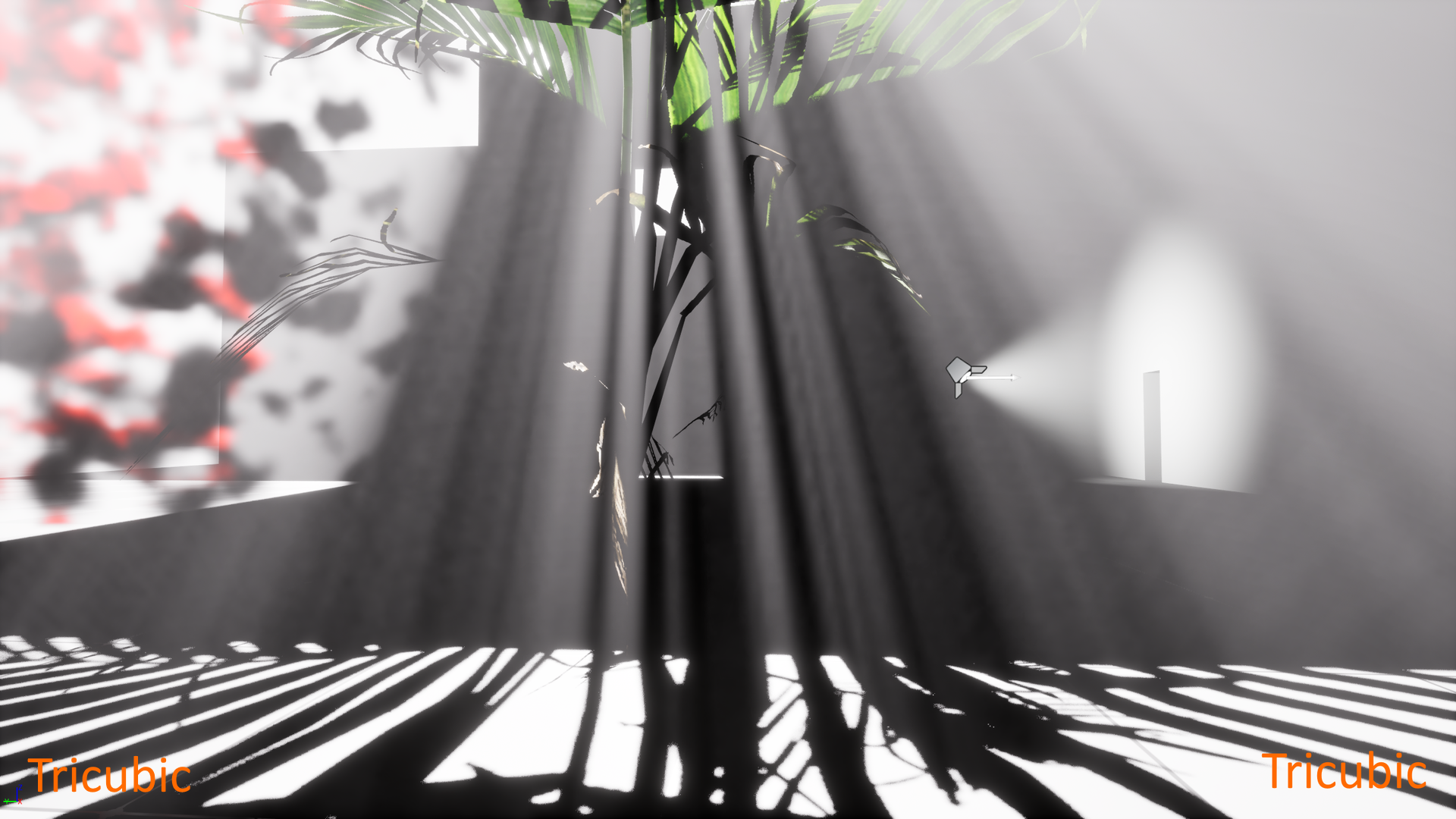
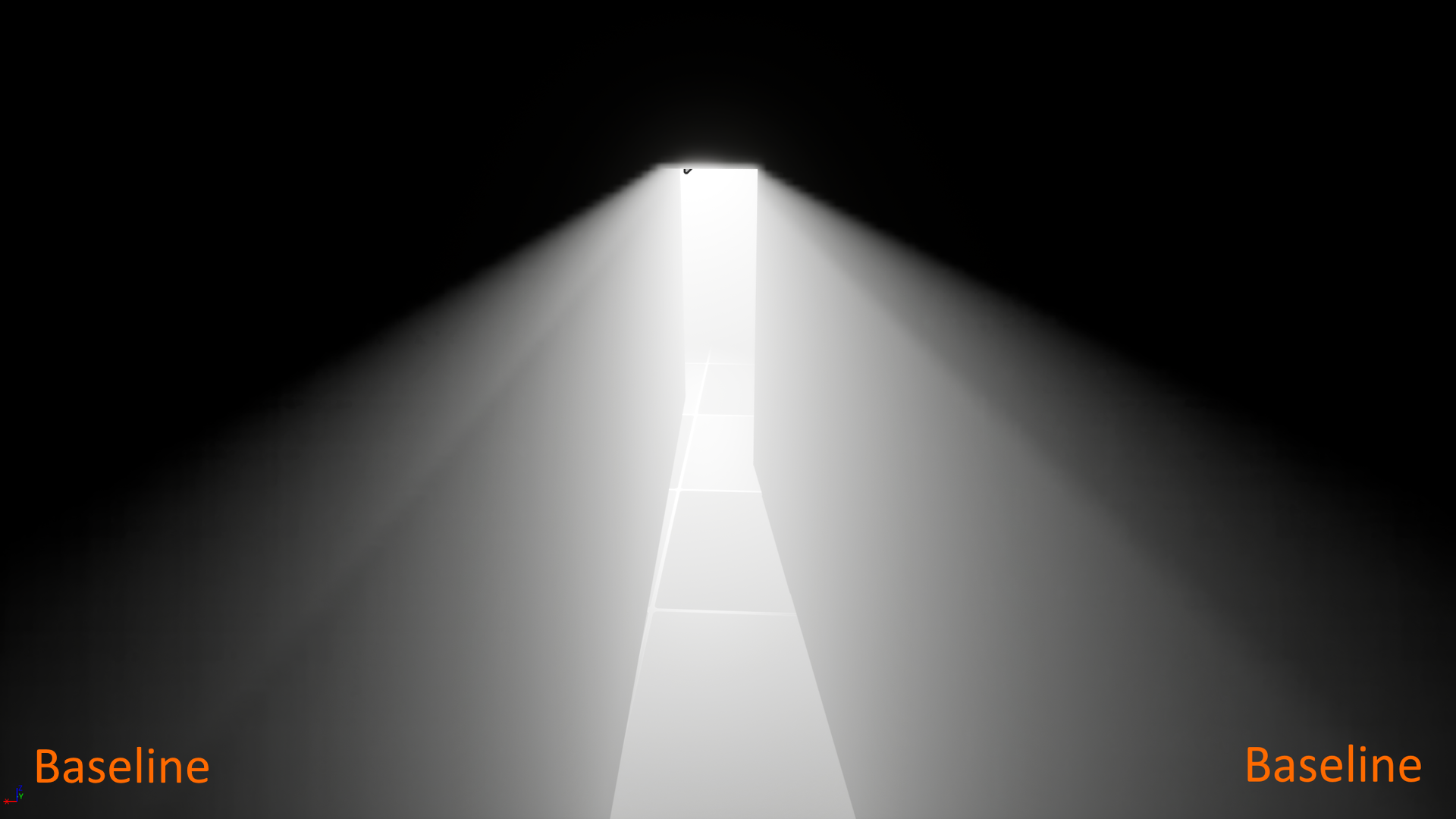
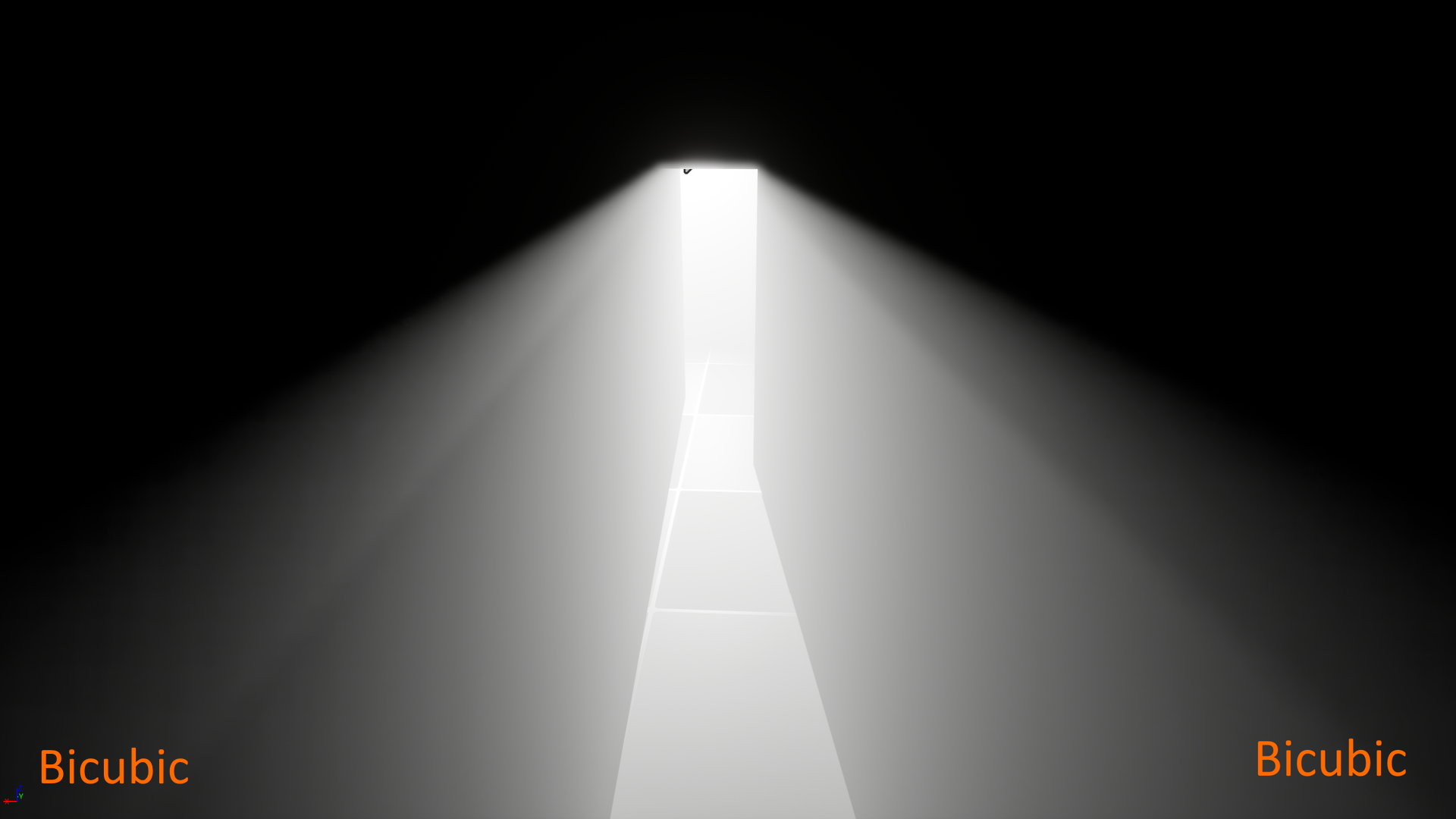
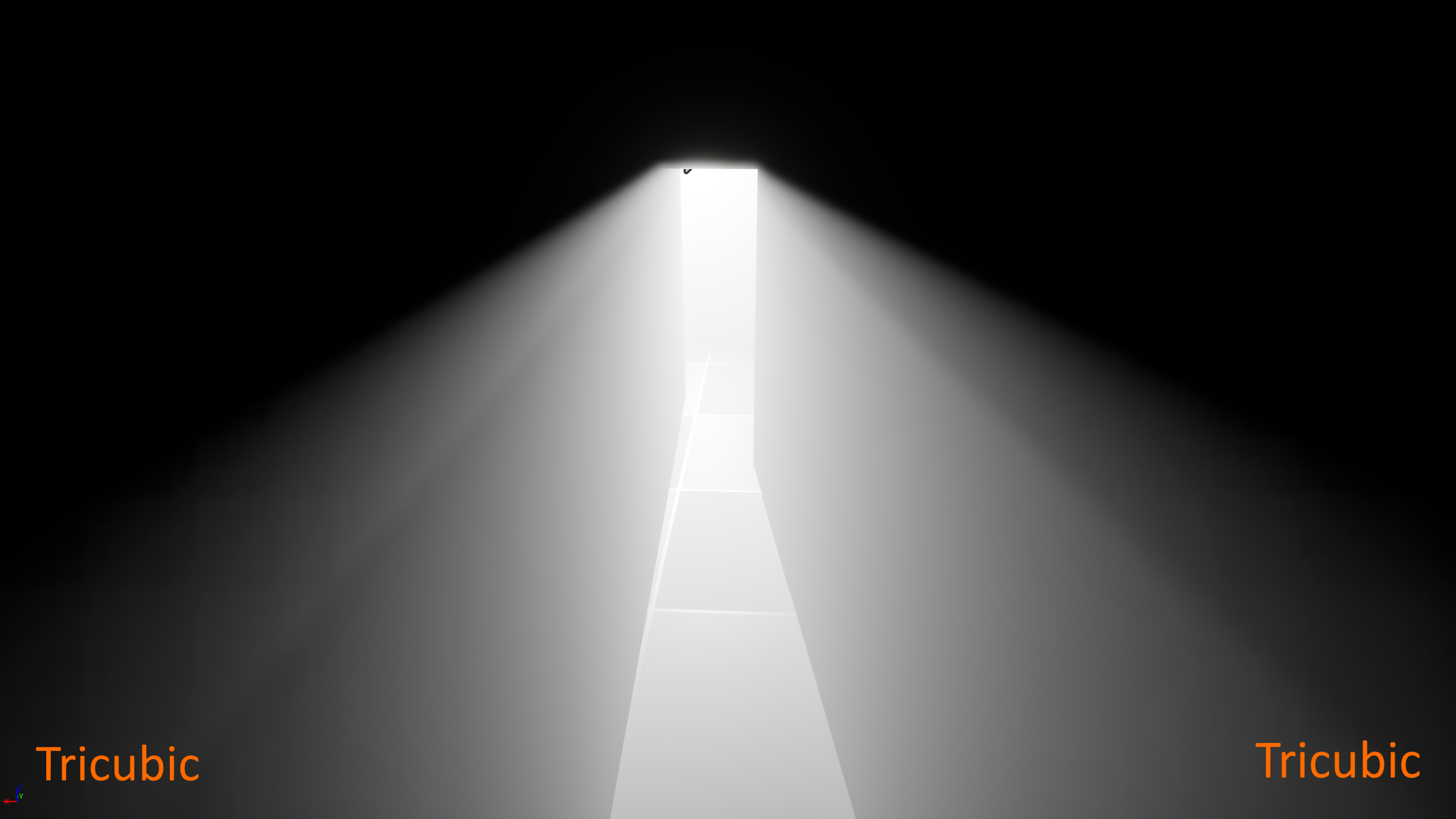
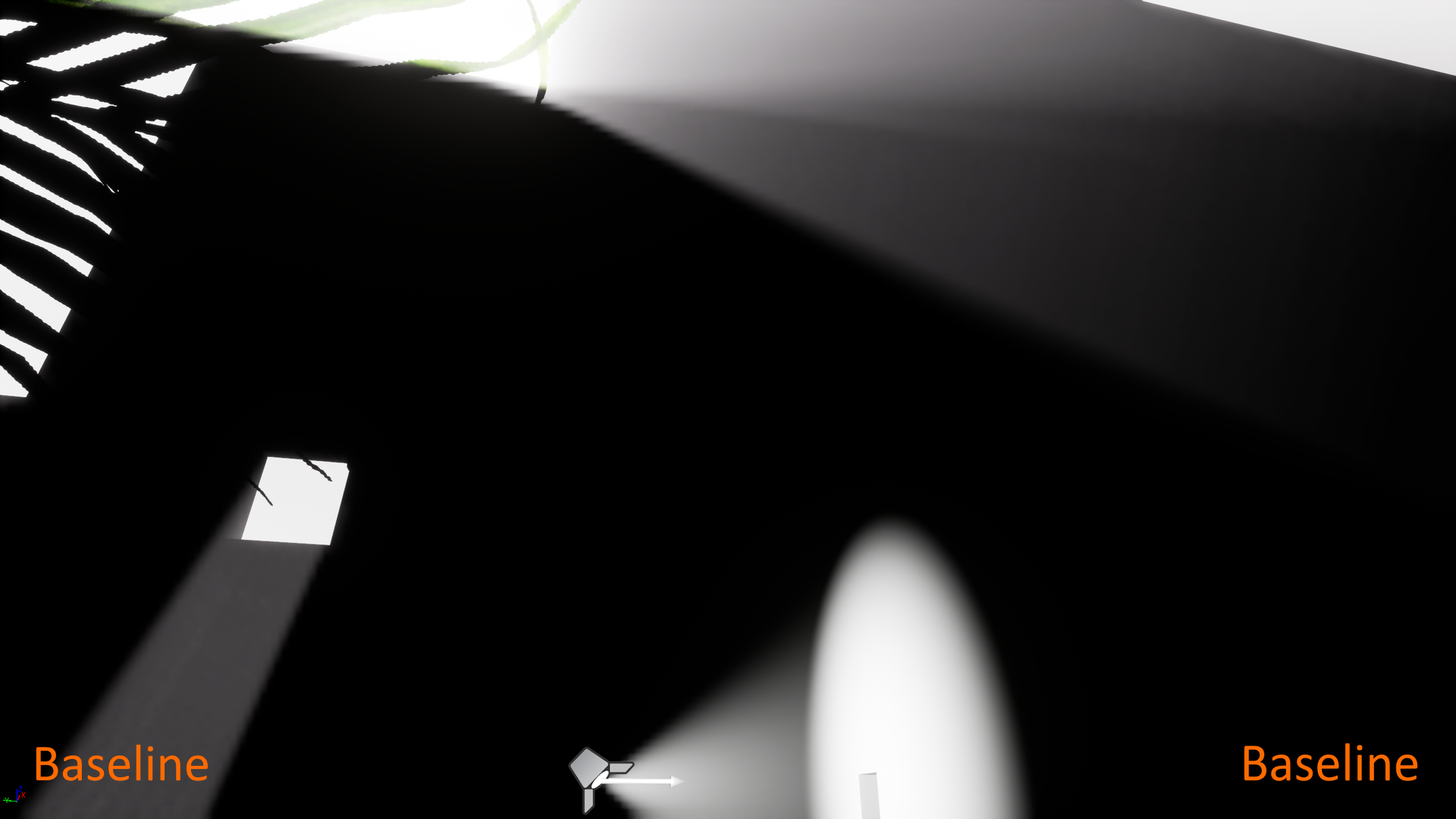
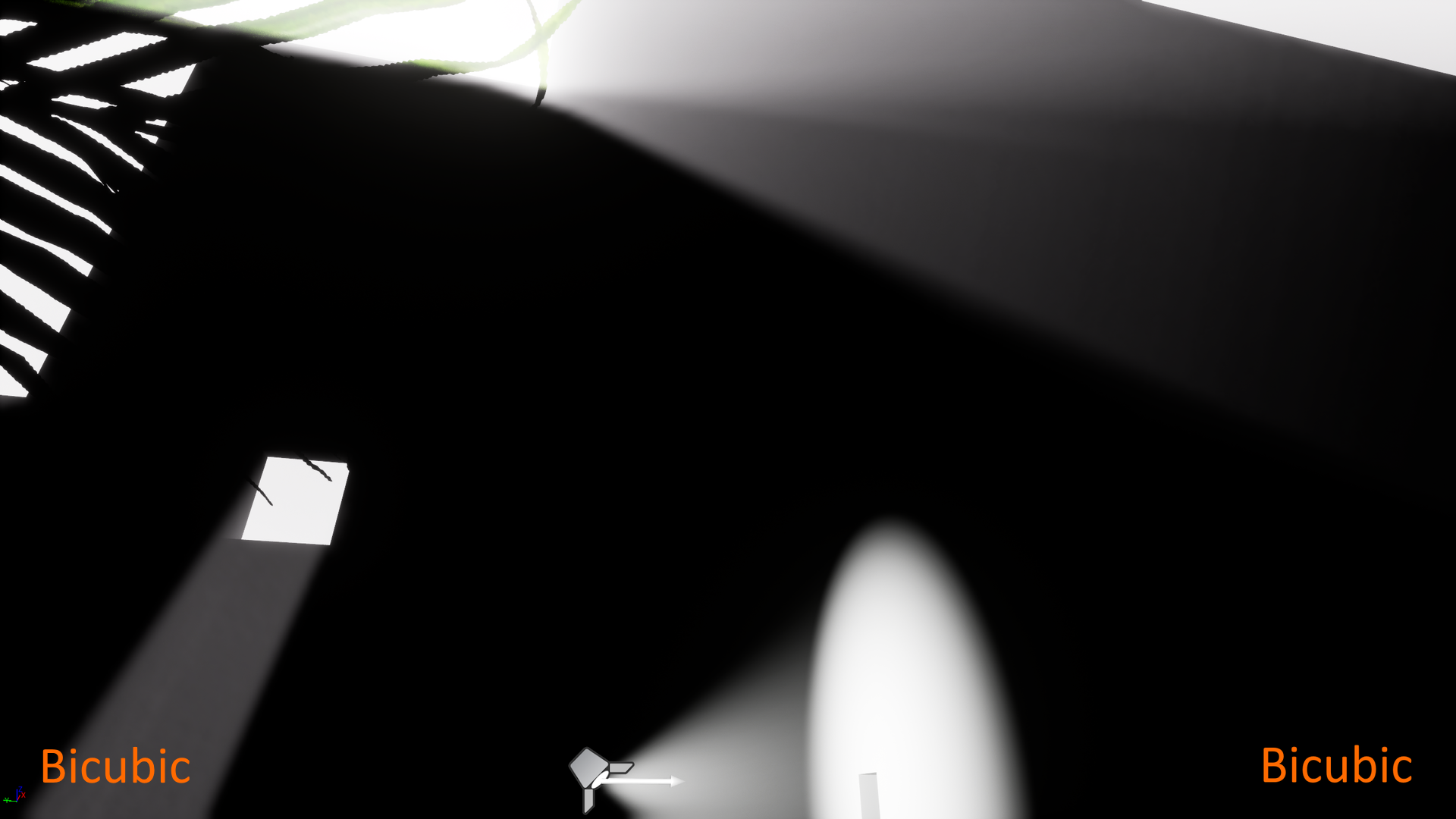
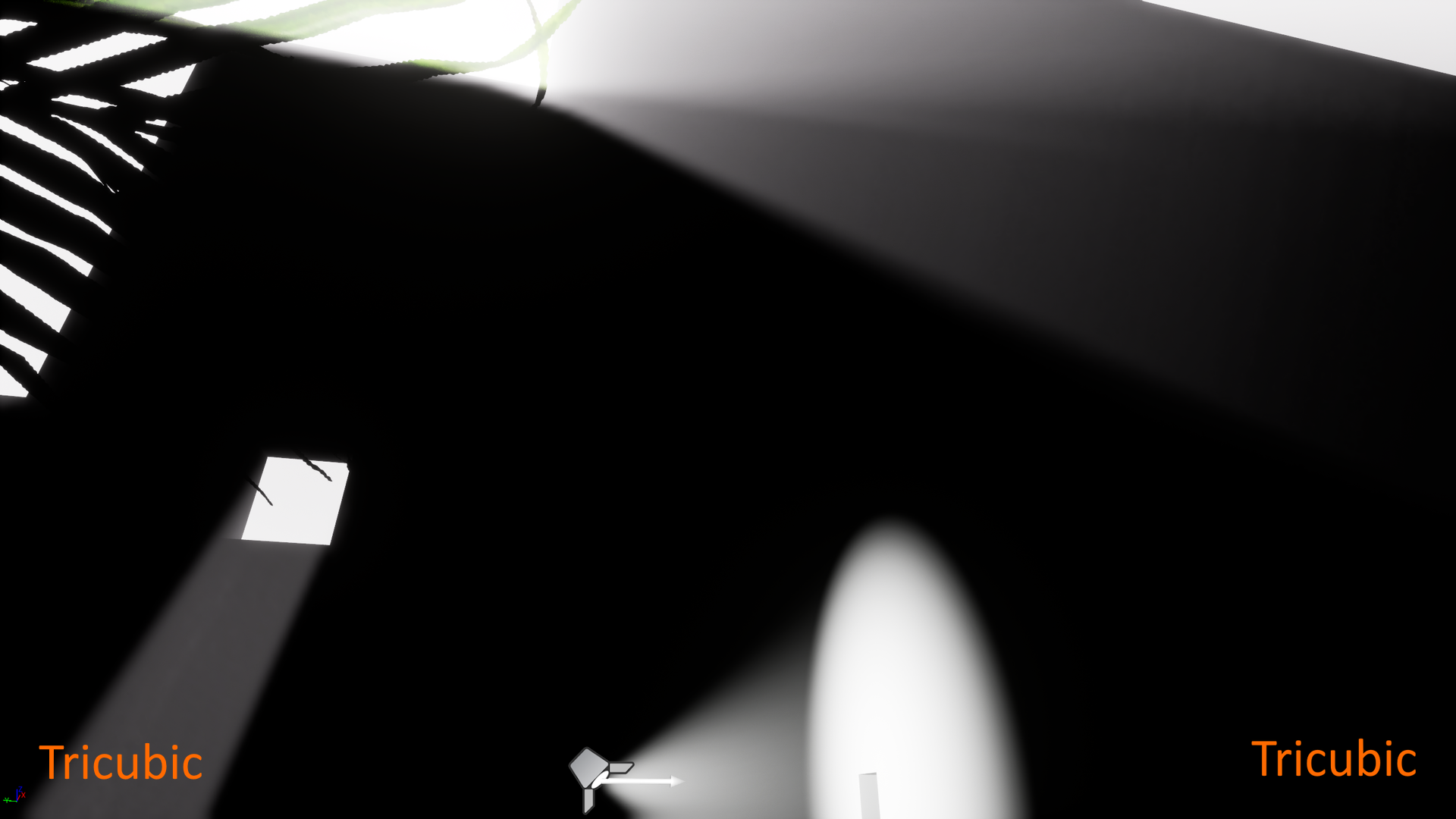
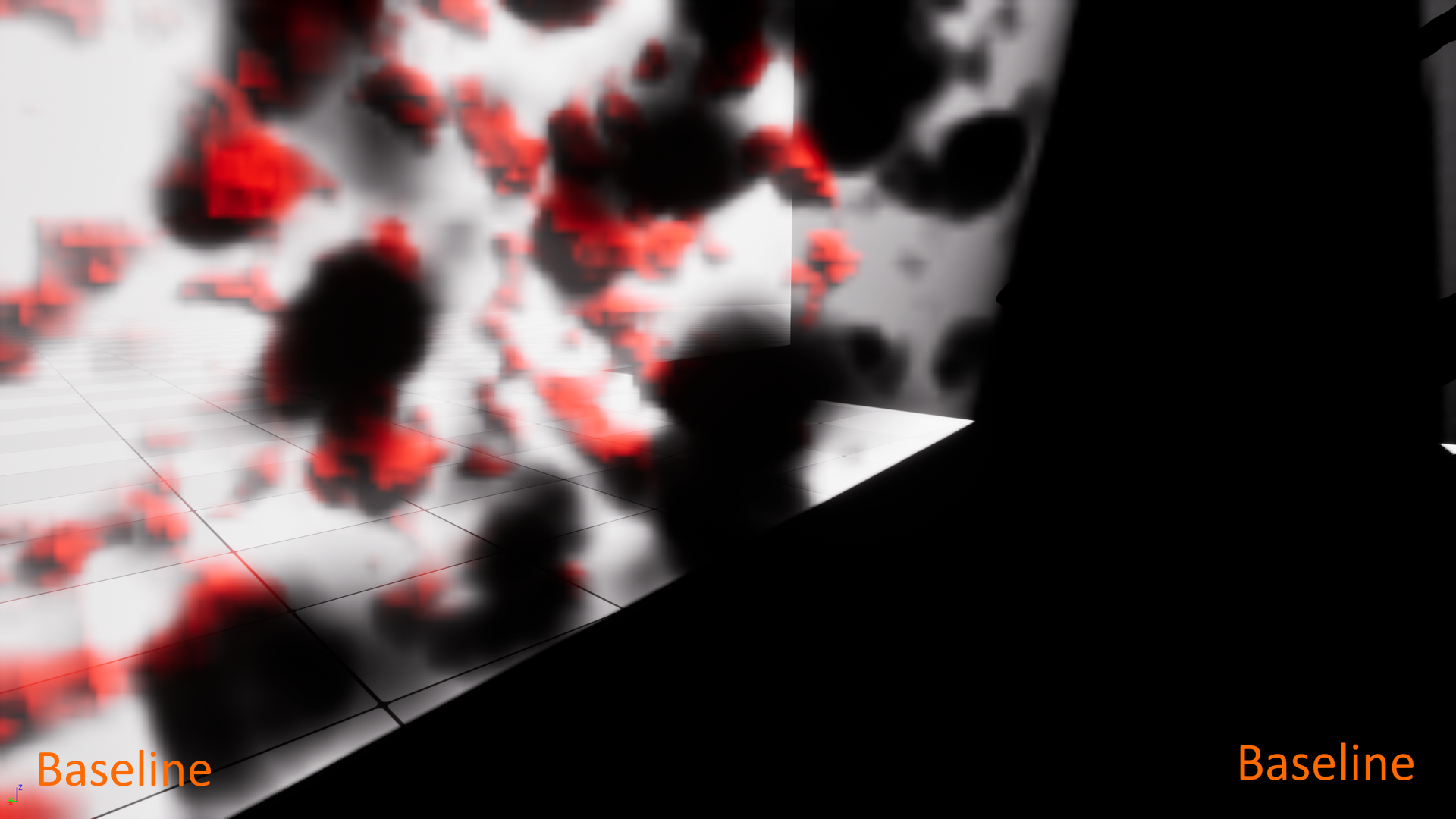
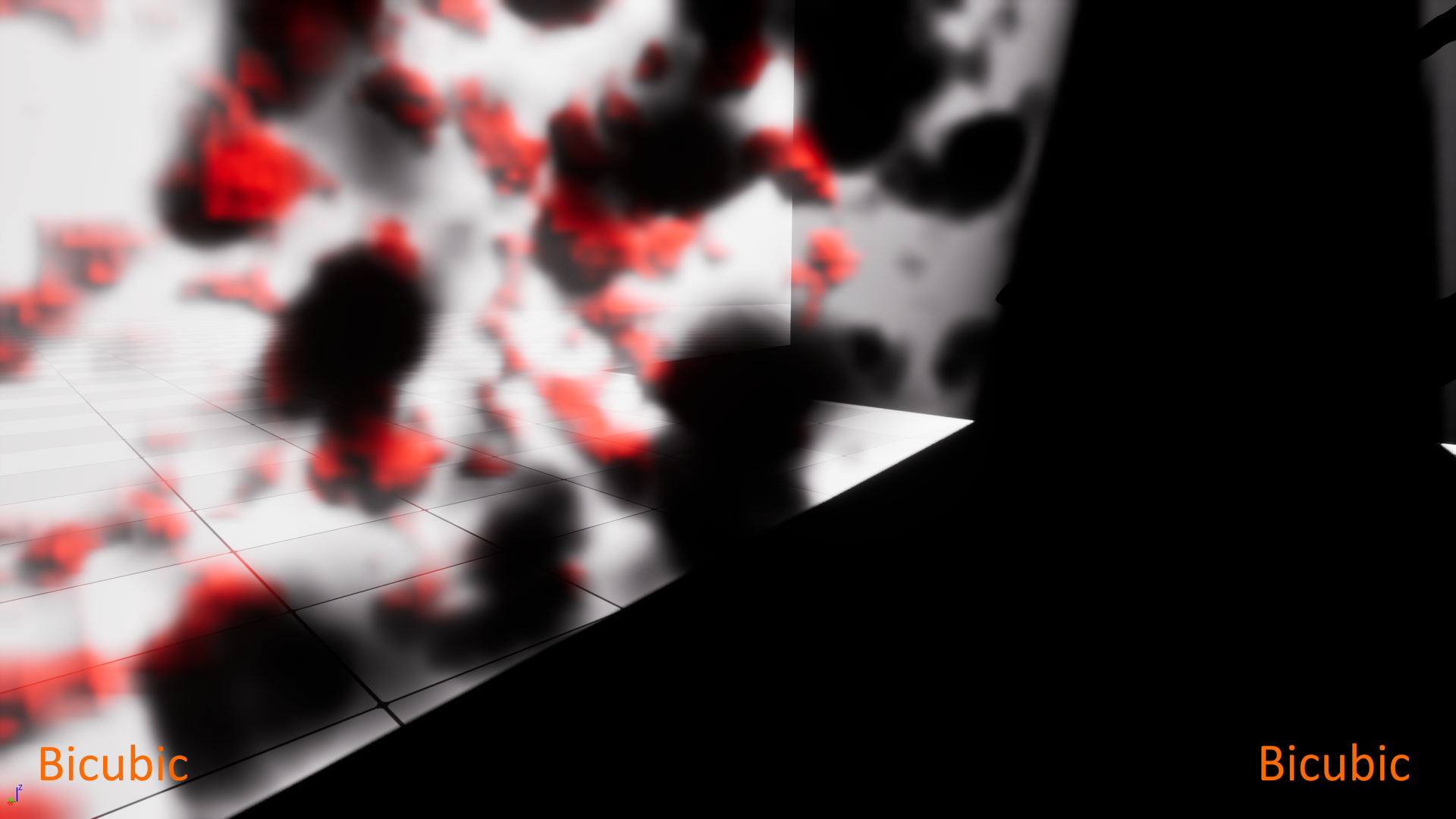
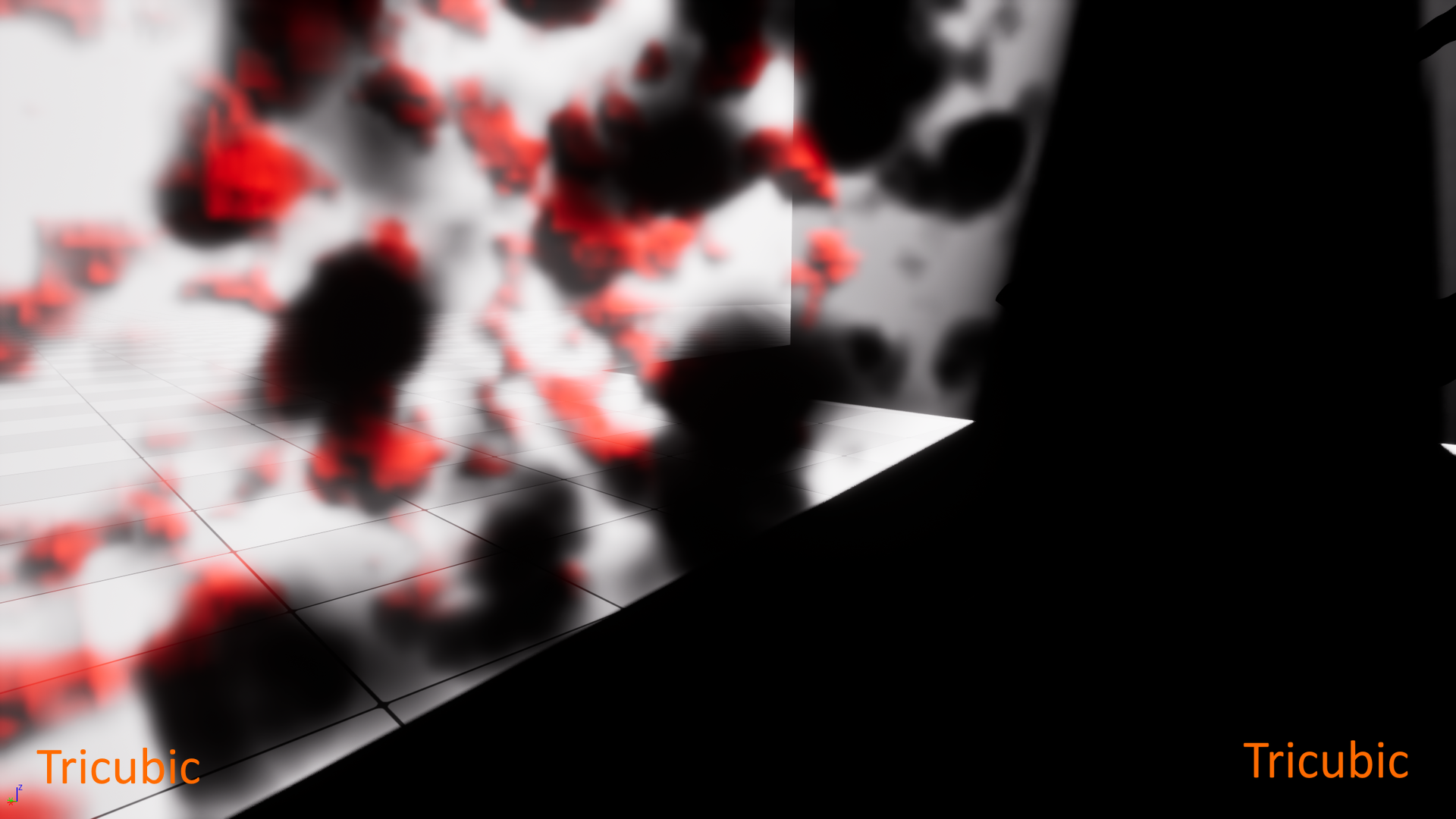
Bicubic filtering already offers a significant improvement in quality, whereas tricubic can add that extra little detail to bicubic (compare the last row of images in particular).
Demo
You can watch a demo here:
You can also play with the demo yourself. Here is the download link (it contains an executable).
It is a Development build so you can use the console to change cvars at runtime. By default it launches with Unreal’s baseline trilinear filtering, so you need to use console command wojtsterna.r.VolumetricFog.CubicFiltering to change filtering.
What is the performance?
I am glad you have asked. The short answer is: the quality gain is worth the (really small) performance cost. But hear also the long and precise answer.
I ran a series of tests using GeForce RTX 3060 Ti. Additionally, for the tests I set:
r.RDG.AsyncCompute 0
This is recommended to improve reliability of Unreal’s GPU timers.
Running at render 2560×1440 resolution these were the performance times:
| Mode | Time |
|---|---|
| Baseline | 0.07 ms |
| Bicubic | 0.14 ms |
| Tricubic | 0.25 ms |
What you are seeing above is the cost of the so-called ExponentialHeightFog render pass, which is a pass that takes the volumetric fog data, upsamples it and applies to the screen. This is the only spot in the graphics pipeline that Volumetric Fog Ultra affects.
Let’s put the above timings in some better perspective. During that test, the time of actually calculating/generating the volumetric fog structures – that is the VolumetricFog render pass – was 1.78 ms. So as you can see the upsampling/filtering render pass costs very little compared to actual fog calculations – even with bicubic or tricubic filtering.
Games that run on Unreal usually, for performance reasons, render the image not in the full resolution but at some screen percentage (usually 60-70) of the display resolution. I used 65% of the display resolution, using:
r.ScreenPercentage 65
This results in the actual rendering resolution of 1664×936 (for a 2560×1440 screen). In this case the performance times were:
| Mode | Time |
|---|---|
| Baseline | 0.03 ms |
| Bicubic | 0.06 ms |
| Tricubic | 0.11 ms |
That is, again, the cost of ExponentialHeightFog render pass.
The cost of VolumetricFog render pass in this case was 0.77 ms.
Note how little you pay for a jump from baseline to bicubic. That is only:
- +0.07 ms at 2560×1440 render resolution
- +0.03 ms at 1664×936 render resolution
It’s a drop in the ocean, especially compared to the total time needed to process VolumetricFog alone, but your fog will benefit greatly in quality.
All the above tests and images were taken with the following volumetric fog resolution settings:
r.VolumetricFog.GridPixelSize 8
r.VolumetricFog.GridSizeZ 128
This is a moderately high resolution. I can assure you that with lower resolution (i.e. GridPixelSize being set to 12 or 16 for example) Volumetric Fog Ultra kicks ass even more.
Which engine version is supported?
The current release of Volumetric Fog Ultra was updated using Unreal Engine 5.7.0.
I cannot guarantee it will “just work” on any prior version via a simple copy-and-paste of the files, but if you encounter any problems I will be happy to assist you in resolving them (via e-mail or Discord). This modification can in fact be applied to any 5.x version of the engine, and very much likely also to the most recent Unreal Engine 4 versions.
Remember that you need to be able to compile Unreal Engine from source code. Without that you will not be able to apply Volumetric Fog Ultra to your project(s).
Price and where to get it
Volumetric Fog Ultra is priced at $67 (tax included) for Individuals, Sole Proprietors and Companies that had revenue under 100 000 USD in the prior fiscal year (Personal Tier). You can purchase it here (via Teachable):
Get Volumetric Fog Ultra ($67)
Volumetric Fog Ultra is priced at $197 (tax included) for Companies that had revenue exceeding 100 000 USD in the prior fiscal year (Professional Tier). You can purchase it here (via Teachable):
Get Volumetric Fog Ultra ($197)
The package includes a detailed instruction on how to apply the necessary modifications. It really isn’t much work.
NOTE: The package does not contain the tree model which you can see in the screenshots and the demo, as it is a Quixel mesh and cannot be redistributed.
In case you encounter any problems just contact me at wojtsterna.help(at)gmail(dot)com.
You can also reach me and ask questions on my Discord server  https://discord.gg/U4fWWQyQRv.
Remember that if you are not satisfied with the product, you have the full right to refund it.
One thing you might be wondering is why have I not put Volumetric Fog Ultra out on Unreal Engine Marketplace. Well, I tried, but it got rejected. The reason is simple: they have the policy according to which they do not accept engine’s modifications. If submitting a code package, it must be a plugin. So, as a result, the only way to get Volumetric Fog Ultra is via the link above.
 Wojtek Sterna